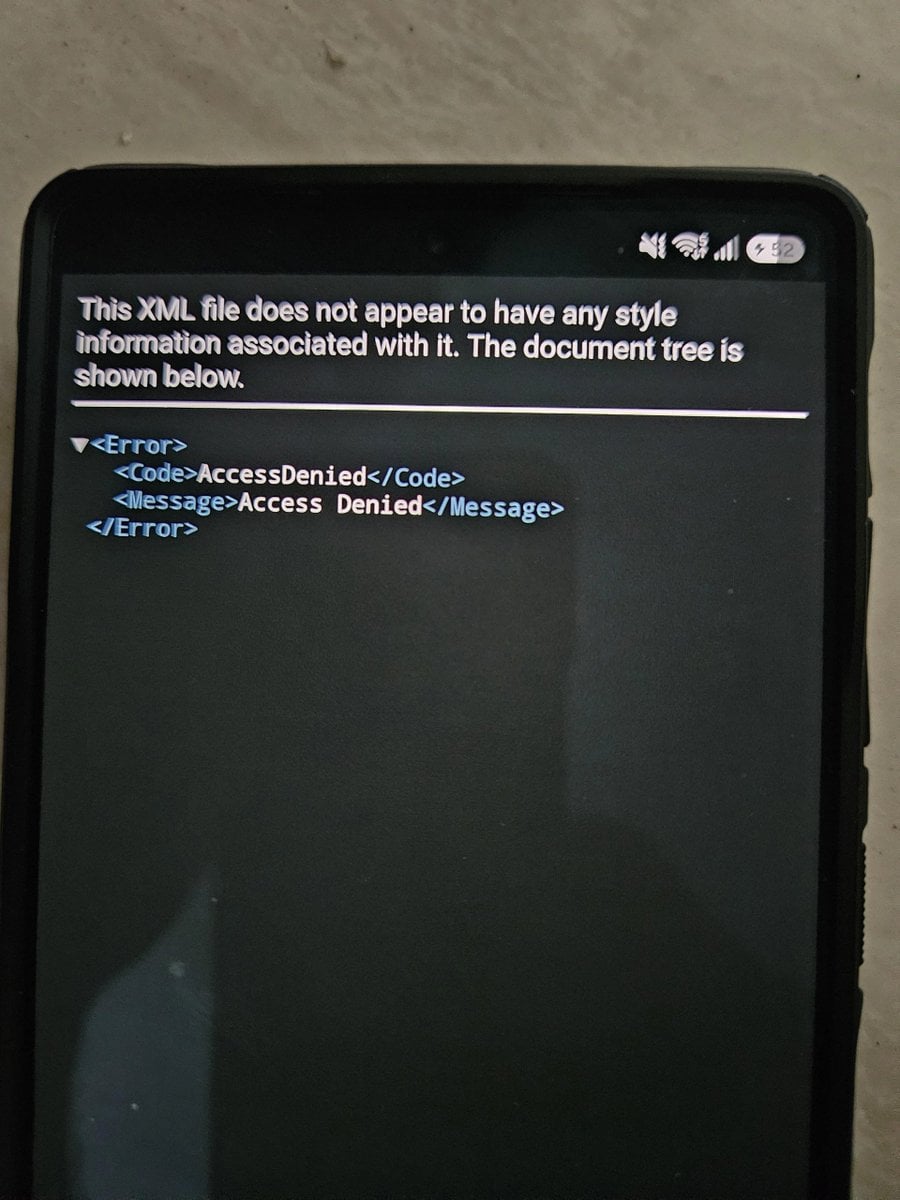

You might be in for a rude surprise when updating your Galaxy device to One UI 9. Several users have reported that they get stuck on the change log screen once the device finishes updating.
The rather scary looking error screen will no doubt cause a lot of concern for the average user. Fortunately, there's a quick fix that you can do in order to reboot the device and get it working again.
There's a simple fix that gets your device up and running again
The error screen pops up instead of the change log screen which is meant to show everything that the new update brings. Several users have posted the error screen on Reddit. They say you can't get past this screen and access anything on the phone. Even restarting the phone multiple times doesn't seem to fix the issue.
One Reddit user has shared a simple fix for the issue. When the screen appears, such hold the Volume Down + Power keys to force restart. As soon as the Samsung logo comes up, press and hold the Volume Down key to boot the device into Safe Mode.
Enable Airplane Mode in Safe Mode so that there's no active Wi-Fi or mobile data connection, and then restart the device. It will reboot in the normal state and everything will be normal.
As @fahadalijaved notes on X, this might be due to a server-side change made by Samsung to prevent firmware leaks. The unintended consequence of this move is an error screen that will freak out most average users.
Samsung will likely roll back the changes it has made that caused this, but until then, it's better to enable Airplane Mode before updating your device in the first place so that you don't have to mess around with Safe Mode later.


Post a Comment